About 3 years ago I posted about a great salvage of a dead Macbook Air. Enough time has gone by that I think it’s a good time for an update.
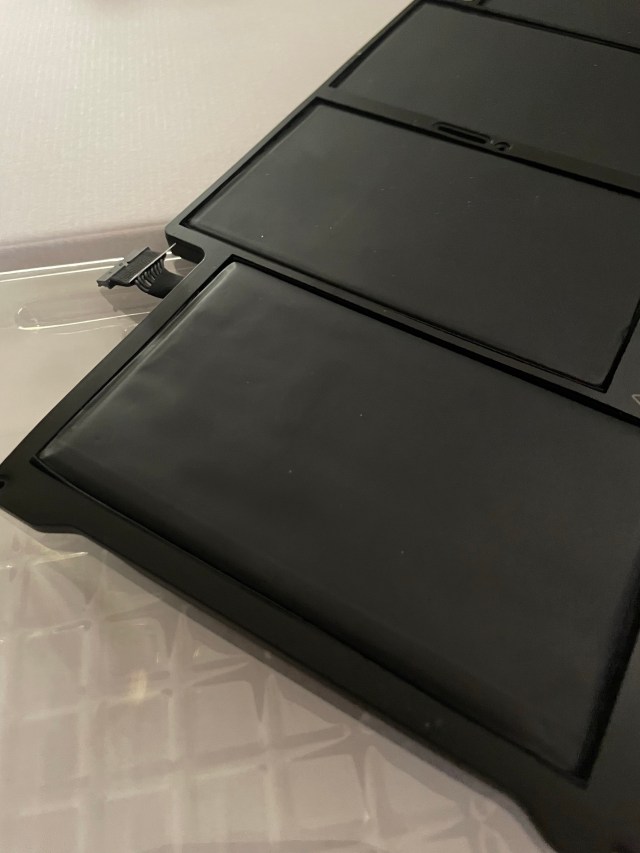
After 3 years, it reached a point where it would only stay on for 5 to 10 minutes when not plugged in, which isn’t normal. I opened it up and took out the battery that I had to replace when I got it 3 years ago and sure enough, it was very close to having an aneurysm. Note the swelling and bulging on the left side. This could have literally blown up any time. Considering there was no evidence that the frame was bent due to the swelling, I’d say we dodged a bullet on this one.
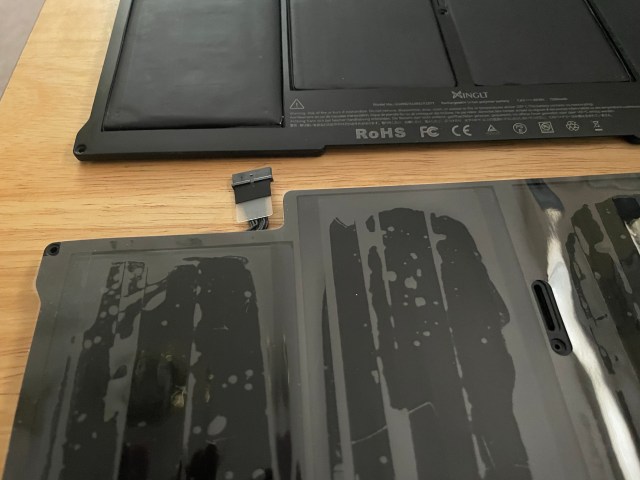
As good fortune would have it, I’ve been taking surveys on the YouGov site to earn amazon gift cards. A $45 battery with $40 worth of gift cards on file, that’s not a bad deal at all. For the sake of variety, I chose a different brand of battery this time. Rather than the XINGLT battery I had, I chose NinjaBatt.
The swelling is a bit more apparent here when compared to the new battery. Note how flat-looking the new one is on the left side, though it is a bit tough to see with the plastic still on it.
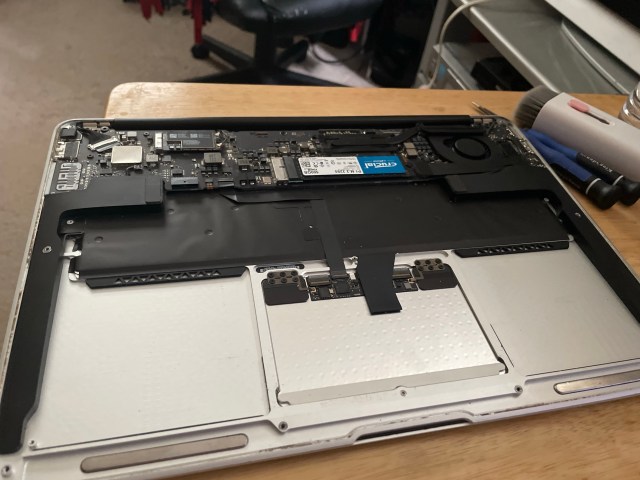
About 2 years ago, there was a deal on SSD drives on Amazon. With the proper adapter, it’s possible to remove the proprietary apple storage and add industry-standard storage, which as you see I have done here with the blue Crucial sticker. I got 500GB of storage for $35, and it was only another $15 for the adapter. While the battery was removed, I took the time to clean with lots of windex and a cleaning brush with attachments that my wife graciously found for me on temu.
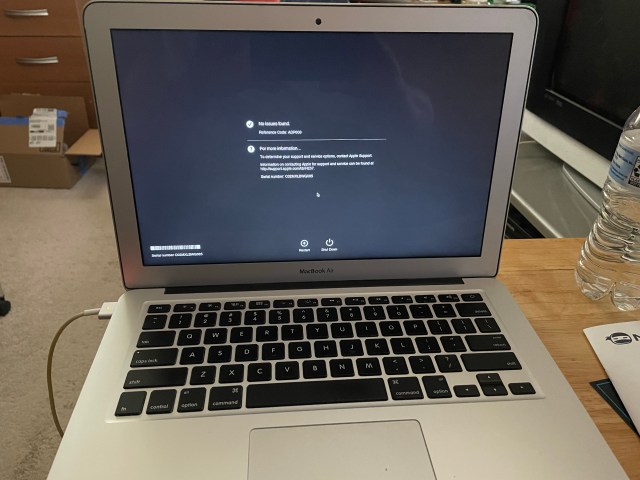
With the replacement installed, it’s now time to reassemble. First thing I did after making sure the battery worked and it came on was to plug it up and run the Apple diagnostics on it. Waiting, waiting, waiting…

The moment of truth…
No issues found!
The loose lid that I had an issue with 3 years ago has thankfully held up fine.
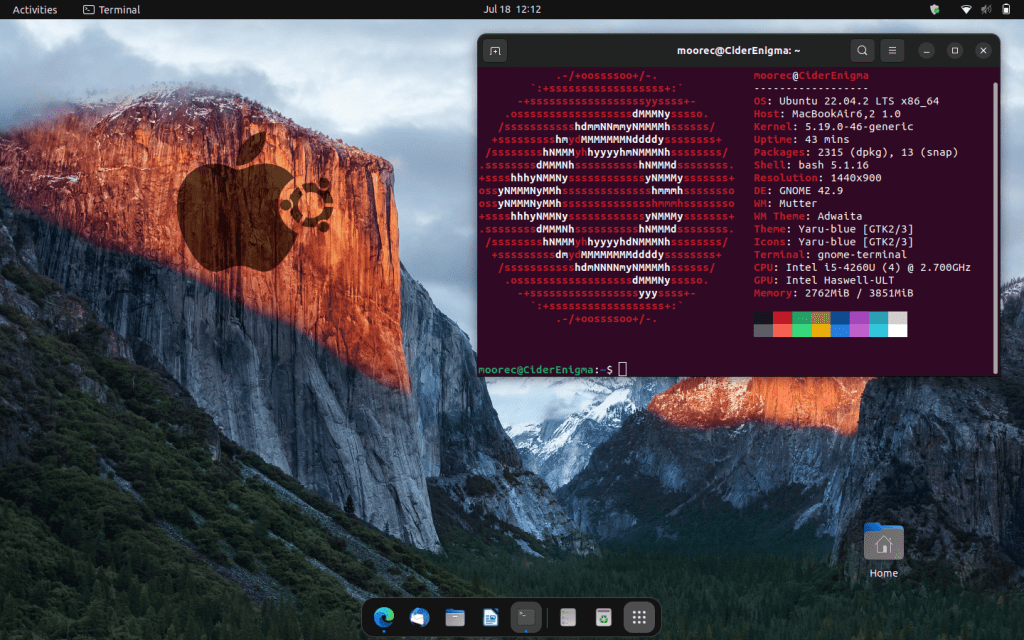
The one last thing I did, because Apple stopped supporting this model 4 years ago, meaning no software updates, is to use Linux. A very odd thing to do on an Apple product, but just for an epic troll, I am also using a customized desktop background here. Note that this was the default background of macOS “El Capitan” release and that I have added a shadowed watermark of an apple logo with the Ubuntu logo next to it. A sign of my technical rebelliousness!
And, for those of you who observe such things, yes, I have Microsoft Edge installed here. A Microsoft product on a Linux computer? Very odd, but I like it. Since I do all my photo editing in GIMP and my raw photo processing in darktable, both open source products, Linux is a fine choice. I feel like I’m diving in a little too deeply into the technical, so I am hoping not to bore the audience too badly. In short, there’s other reasons for using Linux too – in particular, the RAM is not upgradeable. Four gigabytes is all you get, and even macOS Big Sur (the latest installable version) really struggles, where Linux is a lot more comfortable. And the unique advantage of Ubuntu is that everything works out of the box – no extra work necessary.
If you’ve held on through my technobabble, I appreciate you! For the more technical in the audience, I hope you enjoyed that. Whatever the case, shoot photos, not each other.

 Adventures of a Photo Nerd
One reply to “Gear Salvage 2 – Dodging a Bullet”