It has been a while since I did a technical post on how I do my editing, so I felt like it was time to update you. I am one of the millions of photography rebels on the planet that does not utilize an Adobe software products and does most everything for free. As outlined in my last post, you get to see how I choose to work with images. That was in 2023, so having been a couple of years, an update is due.
In particular, I’ve changed a lot on the analog part of it, mainly due to “the Microsoft conundrum” that plagues Windows computers all over the world. I won’t get overly technical here because that’s beyond the scope of what I hope to do here on this site, and that is talk about and show photos, as well as talking about how how I got those photographs. There is no denying that even the most “analog” of pictures encounters a computer somewhere in the process. They are just tools that are part of the creative process, and for good reason. The conundrum, in a nutshell – Microsoft’s support for the modern standard of Windows 10 is ending in October. Windows 11 is available, but the “security” requirements are too much for a large percentage of computers users that have equipment older than about 2019 or so. Once support ends, there will be no more updates, bug fixes, or most importantly, revisions of security parts. Being online, that’s not ideal. There are all sorts of bad actors that take advantage of this, and I won’t get in to that here. Sites that want to steal your data, and so on.
So, what options are there? In the case of my venerable home built “FrankenDell” desktop, there are a few options. My old Pacific Images film scanner requires Windows to work, so that leaves options limited.
- The first option – cheat. Most of the hardware in this computer is about 2013-era or so. It does not meet the “security” requirements of Windows 11. However, it is possible to “cheat.” Telling how to do it is beyond the scope here – it’s a photography blog, not a technology blog. But, suffice to say, it’s possible to go around the security requirements and install Windows 11 anyway. As far as how to do it goes, I’ll let you all google it. I have done this, and it works. Everything works well, including the film scanner. But, there’s talk of Microsoft closing these loopholes or making life more difficult for people who use them. For future use, this is not the most desirable option.
- The second option – Install Linux. I only allude to it in posts here because I’m not running a technology blog, but I am very passionate in my support for Linux and I have been for decades. The catch here, the film scanner isn’t supported in Linux without purchasing a software package called VueScan, which costs $129 dollars U.S. I don’t want to spend that much money just to be able to run hardware that I already have.
- The third, and most desirable option – Forget about Windows 11, install the Linux that I love so much, and come up with a way to use the software that I already have to run film scanning hardware that I already have. This is the option that only an IT worker would come up with.
Wait! What is this heresy, you ask? The “virtual machine” concept is way too technical for what I am doing here, but the short version: install my Linux (for those interested, you’re looking at Fedora 42 here in this picture). Make a little Windows virtual machine using the “VirtualBox” software, then attach the USB scanner to it. Have the original Windows software installed there for scanning, and set up a shared folder on your Linux desktop. Do your scan, and it gets dumped to the documents folder. Go on with the editing in Linux and go on with our life. That’s it in a nutshell!

Beyond that, very little has changed, except for one thing – GIMP version 3 is here. New versions of this software don’t come often – usually every 10 years or so. When they do come, they are usually quite a substantial improvement.
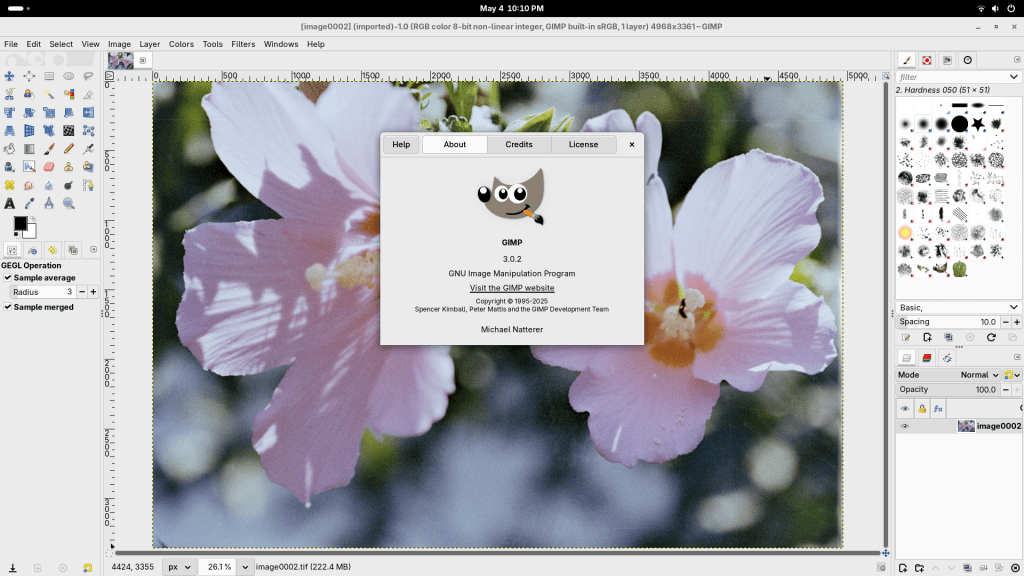
Nothing new here, but lots of reusing the old. My film scanner is over 20 years old (first introduced in 2003), but it scans an 18 megapixel (approximately 4K resolution for all the movie enthusiasts) image. It has automated scratch and dust removal, and there just isn’t any reason to upgrade it. It also scans images in the RAW format, which not many more modern scanners do. GIMP and darktable do everything the adobe applications do.
I understand that a lot of the audience really isn’t this technical, and that’s fine. In our modern world, you don’t need to be technical to enjoy the art. Cameras and computers are easy enough to use to keep you from being that technical. But, if you read this far, I appreciate you, and I hope that you might have got something out of it. Maybe I’ve inspired new ideas, introduced relatable old ideas, or just introduced a different way of doing the things that all artists do. In any case, there’s one primary thing that we all should remember: shoot photos, not each other!

 Adventures of a Photo Nerd